Restoring volumes and managing BaaS backups
The Backups section contains the restore points grouped by source volume. You can restore a volume, delete its backups, or disconnect it from its current incremental backup chain.
Important
BaaS restores a volume, not a complete instance. A restored volume appears in the Disks section and must be attached to an existing instance or used to create a new instance. Instance and network configuration is not restored automatically.
Restoring a volume
Open Backup (BaaS) → Backups.
Select the source volume by name.
Select the required restore point by its creation date.
Click Restore.
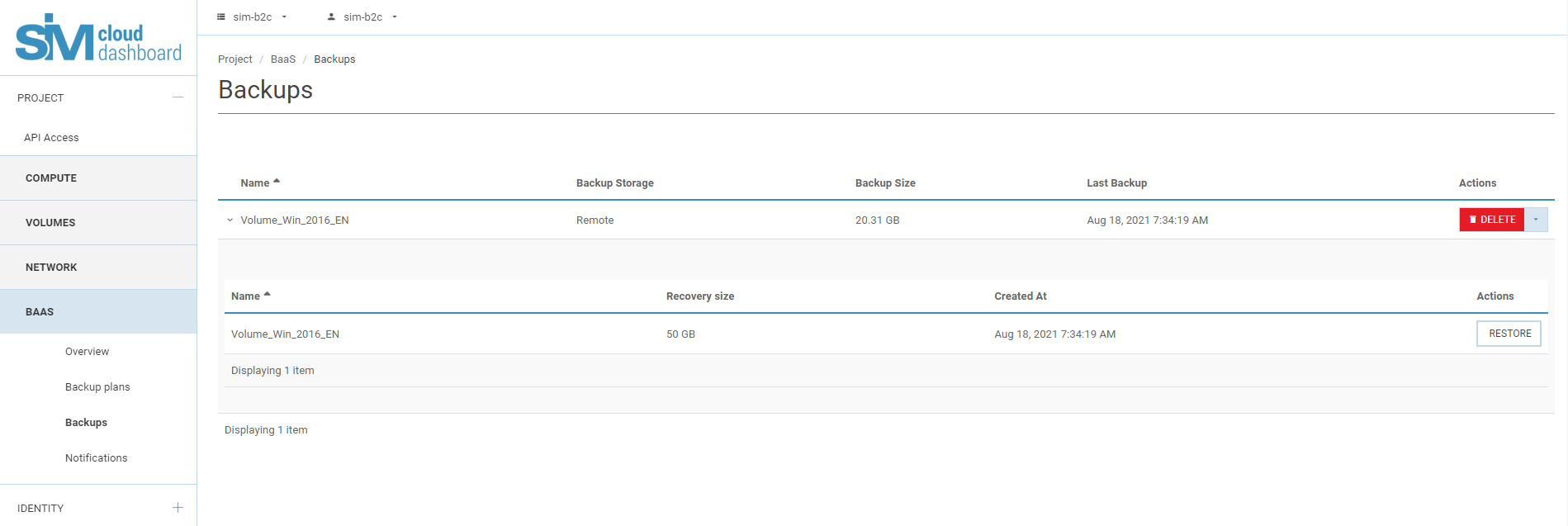
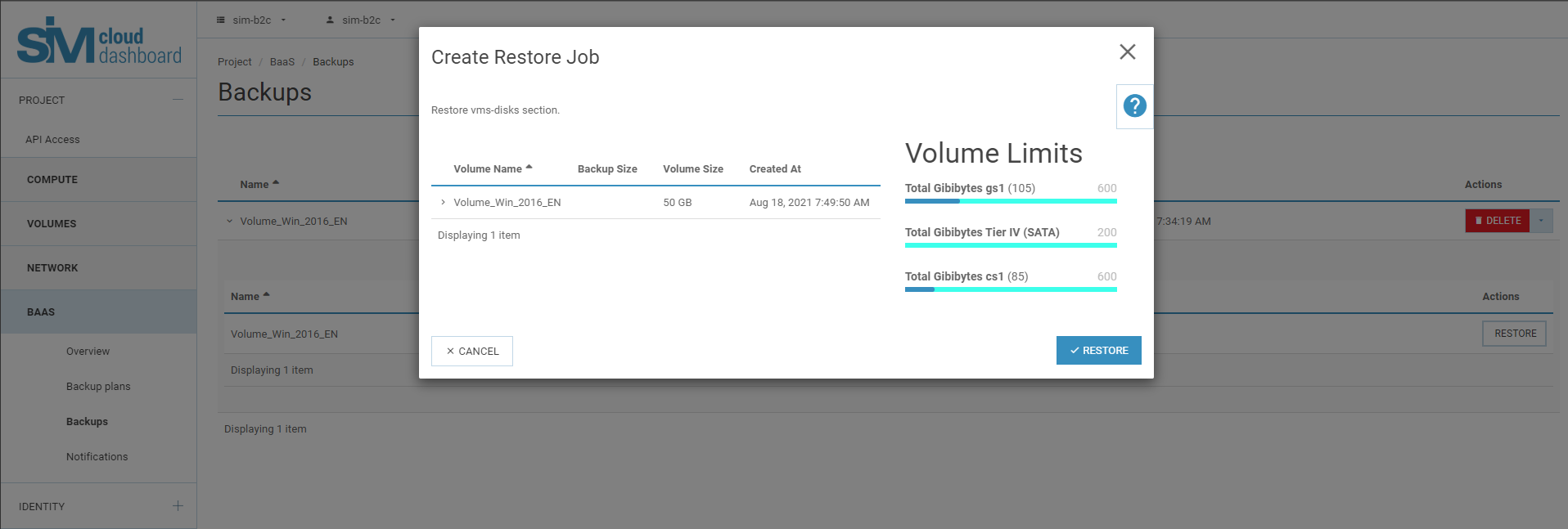
Review or change the restored volume’s name, description, bootable state, and destination storage type.
Verify that the primary project storage has enough free space for the full provisioned size of the volume.
Click Restore to start the operation.
During the operation, the volume has the status Restoring from backup. When the operation completes, the restored volume appears under Computing Resources → Disks.
Warning
A restore operation fails if the primary project storage does not have enough free space for the full provisioned volume size.
Deleting backups
Deleting backups removes all restore points for the selected volume.
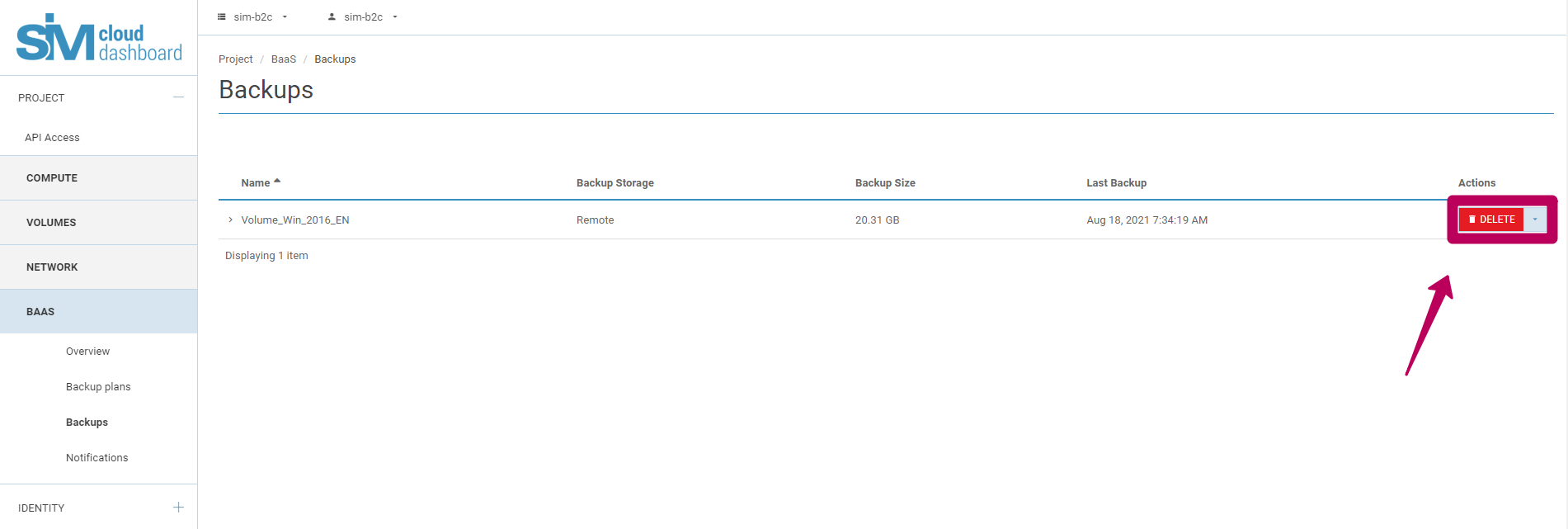
In Backups, select the row containing the volume name.
Click Delete.
Confirm by clicking Delete backups.
Warning
Deleting backups is irreversible. The deleted restore points cannot be recovered.
Disconnecting a volume
Disconnecting a volume removes the service snapshot that BaaS uses to continue the incremental backup chain. Existing backups are not deleted and remain available for restore.
In Backups, open the Actions menu for the required volume.
Select Disconnect disk.
Confirm by clicking Disconnect Disk.
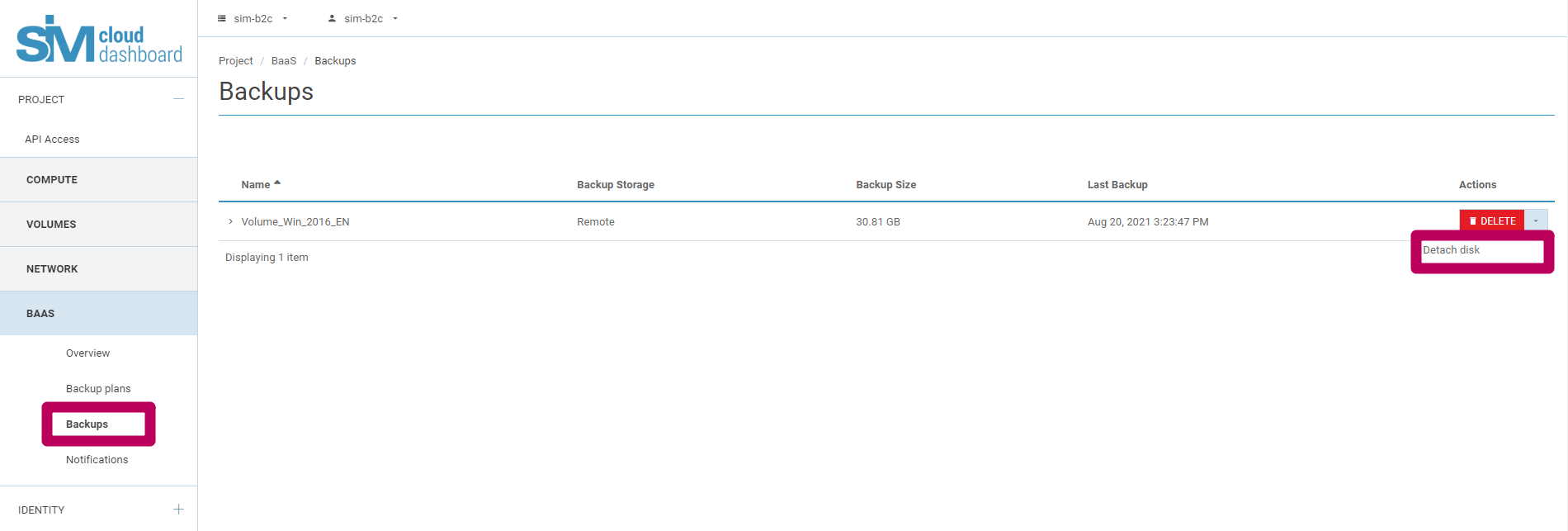
After disconnection, BaaS cannot create new incremental backups for the volume while its previous backups exist.
To resume backup operations:
Delete all existing backups for the volume.
Add the volume to an existing or new backup plan.
Warning
Disconnecting a volume permanently terminates its current incremental backup chain. It does not delete the existing backups.